The biggest mistake buyers make when purchasing a laser marking machine is choosing the equipment before fully understanding the technology. The golden rule is simple: your material dictates the laser you need. Getting this wrong can lead to a costly investment that doesn’t meet your needs. To make the right choice, your decision should be built on four key pillars: the core laser technology, the machine’s physical style (form factor), its key performance specifications, and your total budget. This guide will demystify these complex choices with a clear, step-by-step process, ensuring you invest in the perfect tool for the job.
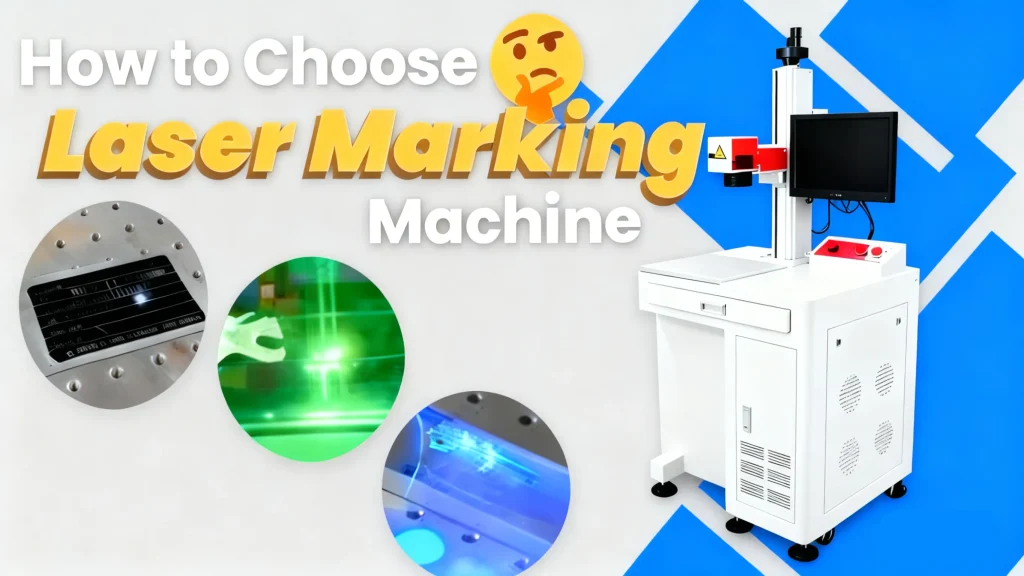
Match the Laser to Your Material
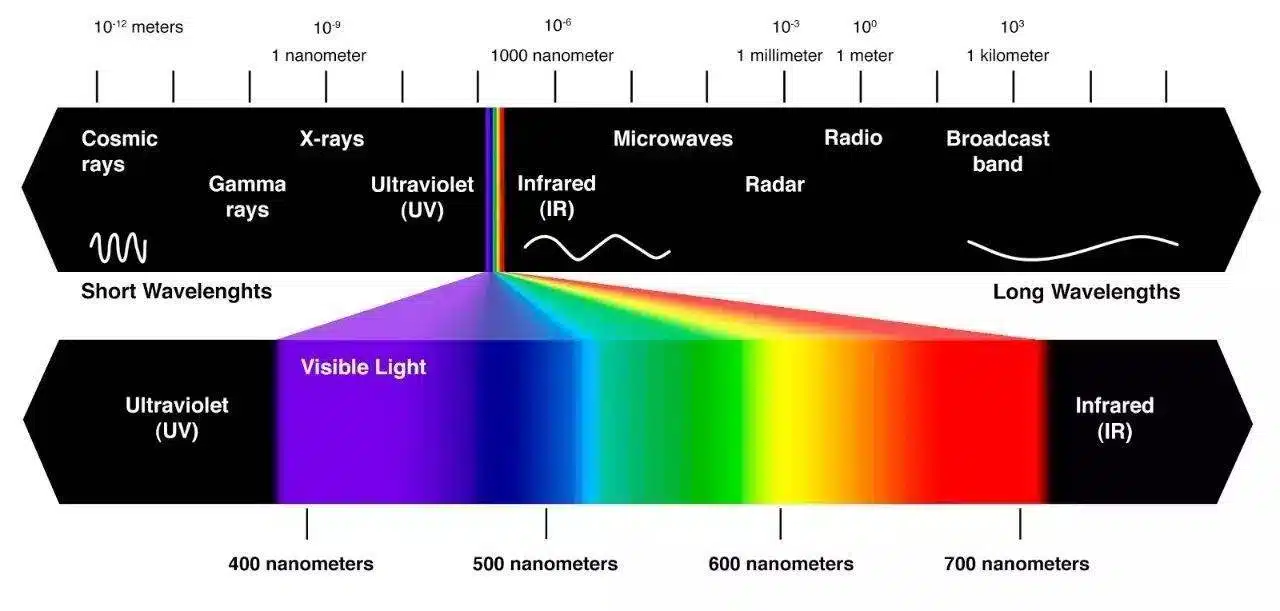
The heart of any laser marking machine is its laser source. Different sources—like Fiber, CO₂, and UV—produce different light wavelengths. Think of it like using the right key for the right lock; a material will only absorb certain wavelengths, which is what creates a permanent mark. Choosing the wrong source means you won’t be able to mark your product effectively, if at all.
Fiber & MOPA Lasers
A fiber laser marking machine is the undisputed industry standard for marking nearly all metals and many hard plastics. It’s renowned for its versatility, speed, and long operational life, making it a reliable workhorse for countless applications.
- Best for: Stainless steel, aluminum, titanium, brass, copper, gold, silver, and hard plastics like ABS, PEEK, and polycarbonate.
- MOPA Advantage: A MOPA fiber laser offers enhanced control over pulse duration. This unique feature allows you to create vibrant colors on stainless steel and high-contrast, crisp black marks on anodized aluminum—a significant advantage for branding and aesthetics.
This versatility makes the fiber laser engraver for metal the top choice for industries ranging from automotive parts to electronics and jewelry.
CO₂ Lasers
Where fiber lasers excel with metals, CO₂ laser systems dominate the world of organic materials. These gas-based lasers operate at a longer wavelength that is readily absorbed by non-metallic and organic substrates, delivering clean and precise marks.
- Best for: Wood, leather, paper, cardboard, glass, rubber, acrylic, and certain plastics like PET.
- Key takeaway: A CO₂ laser engraver is generally ineffective on bare metals, as the wavelength reflects off the surface rather than being absorbed.
From marking custom logos on wooden crafts to etching date codes on cardboard packaging, the CO₂ laser is the go-to solution.
UV & Green Lasers
UV and Green lasers are the specialists of the laser world, known for their “cold marking” process. They mark materials without generating significant heat, which prevents melting, burning, or damaging the substrate. This makes them essential for delicate and sensitive applications.
- Best for: Heat-sensitive plastics (especially medical-grade polymers), silicon wafers, delicate electronics, glass, and highly reflective metals like gold and silver, where minimal heat input is critical.
Their precision and damage-free process are why they are indispensable in the medical device and semiconductor industries.
Types of Laser Marking Machine
Once you’ve matched the laser technology to your material, the next question is logistical: how and where will the marking happen? The physical form factor of the laser marking machine is critical for integrating it smoothly into your production process.
Flying Laser Systems
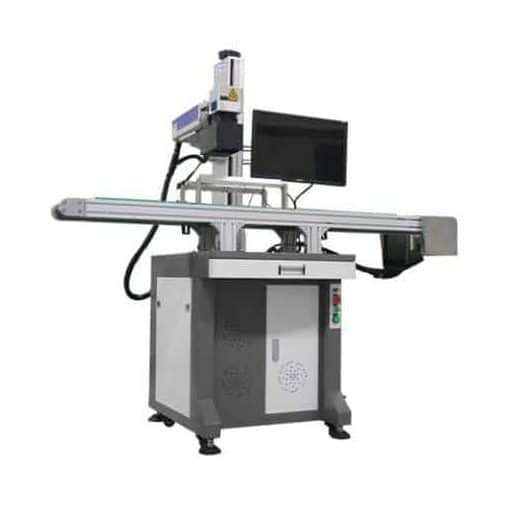
A “flying” or “on-the-fly” laser marking machine is designed for maximum efficiency. It marks parts as they move along a conveyor belt without stopping. This is the ideal solution for high-volume manufacturing environments where every second counts.
- Use Case: Perfect for marking date codes, lot numbers, serial numbers, and logos in the food and beverage, pharmaceutical, and automotive component industries.
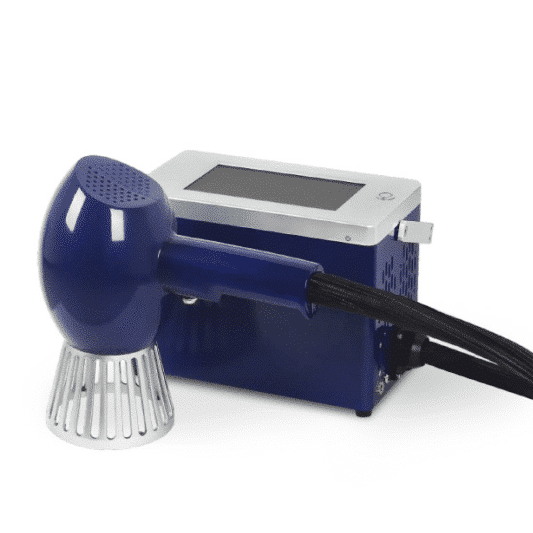
Handheld Laser Markers
Sometimes, you can’t bring the part to the laser—so you bring the laser to the part. A handheld or portable laser marking machine offers ultimate flexibility for marking objects that are too large, heavy, or difficult to move.
- Use Case: Ideal for marking large machinery, vehicle chassis (VINs), pipelines, structural steel, or performing on-site repairs and identification.
Enclosed Laser Marking Workstations
An enclosed workstation is a Class 1 laser system, meaning the laser is fully contained within a protective housing. This is the safest configuration, eliminating the need for special safety glasses and protecting operators from any stray radiation.
- Use Case: The required standard for medical device manufacturing, jewelry engraving, electronics, and any R&D lab or open workshop where operator safety is the top priority.
Desktop Laser Markers
Desktop laser markers pack professional-grade power and precision into a compact, affordable unit. They offer an excellent balance of performance and footprint, making them a versatile choice for a wide range of tasks.
- Use Case: An excellent option for small businesses, prototyping labs, and retail shops personalizing gifts, tools, or promotional items.
Which Technical Details Actually Matter?
You’ve picked your laser type and machine style. Now it’s time to look at performance specifications. Don’t get lost in the jargon; only a few key details truly impact your results.
Laser Power (Wattage)
The power of a laser marking machine, measured in watts (W), directly influences how fast it can mark and how deep it can engrave.
- General Rule: Higher wattage translates to faster marking speeds and deeper engraving capabilities.
- 20W-30W: This is the sweet spot for most general-purpose surface marking on metals and plastics, offering a great blend of speed and detail. It’s often the best laser engraver for stainless steel surface applications.
- 50W+: Necessary for deep engraving on hard metals like steel and titanium. However, this much power can be overkill and potentially damage more sensitive materials.
Optics (Focal Length)
The machine’s lens, or optic, determines the size of the marking area and the fineness of the laser spot.
- Short Focal Length (e.g., F160): Produces a small marking area (e.g., 110x110mm) with a very fine, high-resolution laser spot. This is ideal for intricate logos, tiny text, and detailed graphics.
- Long Focal Length (e.g., F420): Creates a large marking area (e.g., 300x300mm) but with a larger, lower-resolution spot. This is more forgiving on uneven or curved surfaces.
Software
The software drives your laser marking machine and is the interface where you’ll spend most of your time. Good software should be powerful yet intuitive.
- Key Features: Look for a user-friendly interface that supports common vector and raster file types (DXF, AI, PLT, JPG, BMP), automatic serialization for date codes and serial numbers, and built-in barcode and QR code generation tools.

How Much Does Laser Marking Cost?
The laser marking machine cost is a primary concern for any buyer, but it’s crucial to look beyond the initial price tag. The Total Cost of Ownership (TCO) gives you a much more accurate picture of the long-term investment.
Initial Purchase Price
Prices for a laser marking machine can vary widely based on power, features, and brand. Here are some realistic brackets:
- Entry-Level/Hobbyist: Under $3,000
- Small Business/Pro-Grade: $3,000 – $10,000
- Industrial/Automated Systems: $10,000+
Calculating the Total Cost of Ownership (TCO)
TCO is a more accurate measure of the lifetime cost of your industrial laser marking systems.
- Consumables: Unlike inkjet printers, lasers have very few consumables. The main recurring cost is occasionally replacing filters for a fume extraction system.
- Maintenance & Lifespan: Fiber lasers are celebrated for being virtually maintenance-free. Their laser sources have incredibly long lifespans, often exceeding 100,000 operational hours.
- Energy Consumption: Modern fiber laser markers are highly energy-efficient, consuming significantly less power than older laser technologies or other marking methods.
Who Makes the Best Laser Marking Machines?
Navigating the market can be tough. To help your research, here are some of the most reputable manufacturers, categorized by their primary user base.

Established Industrial Leaders
These brands are known for their high-performance, robust industrial laser marking systems and global support networks.
- Riselaser
- TRUMPF
- Trotec
- Keyence
- Videojet
- FOBA
Popular Choices for Small Businesses & Professionals
These companies offer a fantastic balance of professional-grade features, reliability, and value.
- Laser Delta
- Epilog Laser
- TYKMA Electrox
- Mecco
Accessible & Emerging Brands
These brands have made quality laser technology more accessible, offering great options for startups and small businesses.
- OMTech
- ComMarker
- HANTENCNC
Your 5-Step Checklist to Choosing the Perfect Laser Engraver
Let’s recap the entire process into a simple, actionable checklist.
- Start with Your Material: List every material you need to mark. This single factor determines the right laser source (Fiber, CO₂, UV).
- Analyze Your Workflow: Consider your part size, production volume, and marking environment to choose the right form factor (Enclosed, Handheld, Flying).
- Define Performance Needs: Decide if you need fast surface marking or deep engraving. This will guide your choice of laser power (wattage).
- Set Your Total Budget: Look beyond the sticker price. Calculate the Total Cost of Ownership to understand the true investment.
- Crucial Final Step: Get Samples Marked! Before you buy any laser marking machine, send your parts and design files to potential vendors. Ask them to mark samples for you. This is the only way to guarantee the machine will deliver the quality and results you expect.
Make a Confident Investment
Choosing the right laser marking machine is a significant decision, but it doesn’t have to be overwhelming. By focusing first on your material, then your workflow, performance needs, and total budget, you can systematically narrow down your options and make an informed choice. Remember to always test your parts before you buy. This simple step ensures your new machine will be a valuable and profitable asset for years to come.
Ready to find the perfect laser solution for your business? Contact our team of experts today for a free consultation and material marking samples!
FAQs
- Q: What is the best laser for marking metal?
- A: A fiber laser is the best and most versatile choice for almost all metal marking applications.
- Q: Can I mark wood with a fiber laser?
- A: While it’s technically possible, the result is often a low-quality char. A CO₂ laser is the correct tool for marking wood and other organic materials.
- Q: How much does a professional laser marking machine cost?
- A: Prices vary widely, but a good quality desktop fiber laser for a small business typically costs between $3,000 and $8,000.
- Q: Do I need to wear special glasses when using a laser marker?
- A: If you are using an open-beam system (like a handheld or open desktop model), which is a Class 4 laser, you MUST wear certified laser safety glasses rated for the specific wavelength of your laser. Fully enclosed Class 1 systems do not require glasses during normal operation.